Pages

Showing posts with label c. Show all posts

Sunday, 28 June 2015

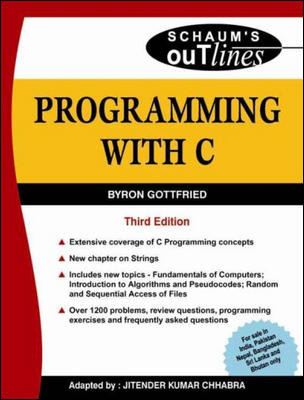
PROGRAMMING WITH C by

Click Here- to Download

Monday, 21 July 2014

Write a C program that convert any digital number value in worlds.

as:

User entered value: 895484
then output in words as:
Eight Lakh Ninety Five Thousand Four Hundred Eighty Four

Ans.

/*c program that convert any digital number to words*/
#include<stdio.h>
#include<conio.h>
#include<math.h>

void checkNumber(int num);
void checkNumber1(int num);
void checkNumber2(int num);
void checkNumber3(int num);
void checkNumber4(int num);

void value1(int num);
void value2(int num);
void value3(int num1,int num2);

int main()
{

 int num;

 printf("Enter any Number : ");
 scanf("%d",&num);
 printf("Entered Number is : ");
 if(num<=100)
   checkNumber1(num);
 else if(num>100 && num<1000)
   checkNumber2(num);
 else if(num>=1000 && num<=100000)
   checkNumber3(num);
 else if(num>100000 && num<=10000000)
   checkNumber4(num);
 else
   checkNumber(num);
 getch();
 return 0;
}

void checkNumber(num)
{
  printf("Kindly enter the number between 0 to 10000000");     
}

void checkNumber1(num)
{
 int x,y,z;
 if(num>=0 && num<=10)
    value1(num);
 else if(num>10 && num<20)
 {
    x=num%10;
    value2(x);
 }
 else if(num>=20 && num<=100)
 {
    y=num/10;
    z=num%10;
    value3(y,z);
 }
}

void checkNumber2(int num)
{
 int x,y,z;
 y=num/100;
 value1(y);
 printf(" Hundred ");
 x=num%100;
 checkNumber1(x);
}

void checkNumber3(int num)
{
 int x,y,z;
 if(num==1000)
 {
   printf(" Thousand ");
   exit(0);
 }
 else if(num==100000)
 {
   printf("Lakh");
   exit(0);
 }
 else
 {
   x=num/1000;
   checkNumber1(x);
   printf(" Thousand ");
   z=num%1000;
   if(z<=99)
     checkNumber1(z);
   else
     checkNumber2(z);
 }
}

void checkNumber4(int num)
{
 int x,y;
 if(num==10000000)
 {
   printf("One Crore");
   exit(0);
 }
 x=num/100000;
 checkNumber1(x);
 printf(" Lakhs ");
 y=num%100000;
 if(y==0)
   exit(0);
 else if(y<=99)
   checkNumber1(y);
 else if(y>99 && y<=999)
   checkNumber2(y);
 else
   checkNumber3(y);
}

void value1(int num)
{
 switch(num)
 {
  case 0: printf("Zero"); break;
  case 1: printf("One"); break;
  case 2: printf("Two"); break;
  case 3: printf("Three"); break;
  case 4: printf("Four"); break;
  case 5: printf("Five"); break;
  case 6: printf("Six"); break;
  case 7: printf("Seven"); break;
  case 8: printf("Eight"); break;
  case 9: printf("Nine"); break;
  case 10: printf("Ten"); break;
  default: printf("");
 }
}

void value2(int num)
{
 switch(num)
 {
  case 1: printf("Eleven"); break;
  case 2: printf("Twelve"); break;
  case 3: printf("Thirteen"); break;
  case 4: printf("Fourteen"); break;
  case 5: printf("Fifteen"); break;
  case 6: printf("Sixteen"); break;
  case 7: printf("Seventeen"); break;
  case 8: printf("Eighteen"); break;
  case 9: printf("Nineteen"); break;
  default: printf("");
 }
}
void value3(int num1,int num2)
{
 switch(num1)
 {
  case 2: printf("Twenty "); break;
  case 3: printf("Thirty "); break;
  case 4: printf("Forty "); break;
  case 5: printf("Fifty "); break;
  case 6: printf("Sixty "); break;
  case 7: printf("Seventy "); break;
  case 8: printf("Eighty "); break;
  case 9: printf("Ninety "); break;
  case 10: printf("Hundred"); break;
  default: printf("");
 }
 value1(num2);

}

Write a C program to convert any number to words.

for example if 
user entered number = 45764
then output = Four Five Seven Six Four

Ans.

/*c program for convert number to word*/
#include<stdio.h>
int main()
{

 int num,c,digit,r=0;
 char *ch[1000];
 printf("Enter Number/Digit : ");
 scanf("%d", &num);
 while(num)
 {
  digit=num%10;
  num=num/10;
  switch(digit)
  {
    case 0: ch[r++]="Zero"; break;
    case 1: ch[r++]="One"break;
    case 2: ch[r++]="Two"break;
    case 3: ch[r++]="Three"break;
    case 4: ch[r++]="Four"break;
    case 5: ch[r++]="Five"break;
    case 6: ch[r++]="Six"break;
    case 7: ch[r++]="Seven"break;
    case 8: ch[r++]="Eight"break;
    case 9: ch[r++]="Nine"break;
  }
 }
 printf("Your Entered Number In Word : ");
 for(c=r; c>=0; c--)
    printf("%s", ch[c]);
 getch();
 return 0;
}

Saturday, 5 July 2014

C – Variable length argument

  • Variable length arguments is an advanced concept in C language offered by c99 standard. In c89 standard, fixed arguments only can be passed to the functions.
  • When a function gets number of arguments that changes at run time, we can go for variable length arguments.
  • It is denoted as … (3 dots)
  • stdarg.h header file should be included to make use of variable length argument functions.

Example program for variable length arguments in C:

#include <stdio.h>
#include <stdarg.h>

int add(int num,...);

int main()
{
     printf("The value from first function call = " \
            "%d\n", add(2,2,3));
     printf("The value from second function call= " \
            "%d \n", add(4,2,3,4,5));

     /*Note - In function add(2,2,3), 
                   first 2 is total number of arguments
                   2,3 are variable length arguments
              In function add(4,2,3,4,5), 
                   4 is total number of arguments
                   2,3,4,5 are variable length arguments
     */

     return 0;
}

int add(int num,...)
{
     va_list valist;
     int sum = 0;
     int i;

     va_start(valist, num);
     for (i = 0; i < num; i++)
     {
         sum += va_arg(valist, int);
     }
     va_end(valist);
     return sum;
}

Output:

The value from first function call = 5
The value from second function call= 14

       In the above program, function “add” is called twice. But, number of arguments passed to the function gets varies for each. So, 3 dots (…) are mentioned for function ‘add” that indicates that this function will get any number of arguments at run time.

C – Command line arguments

Command line arguments in C:

      main() function of a C program accepts arguments from command line or from other shell scripts by following commands. They are,
  • argc
  • argv[]
where,
argc      - Number of arguments in the command line including program name
argv[]   – This is carrying all the arguments
  • In real time application, it will happen to pass arguments to the main program itself.  These arguments are passed to the main () function while executing binary file from command line.
  • For example, when we compile a program (test.c), we get executable file in the name “test”.
  • Now, we run the executable “test” along with 4 arguments in command line like below.
./test this is a program
Where,
argc             =       5
argv[0]         =       “test”
argv[1]         =       “this”
argv[2]         =       “is”
argv[3]         =       “a”
argv[4]         =       “program”
argv[5]         =       NULL

Example program for argc() and argv() functions in C:

#include <stdio.h>
#include <stdlib.h>

int main(int argc, char *argv[])   //  command line arguments
{
if(argc!=5) 
{
   printf("Arguments passed through command line " \
          "not equal to 5");
   return 1;
}

   printf("\n Program name  : %s \n", argv[0]);
   printf("1st arg  : %s \n", argv[1]);
   printf("2nd arg  : %s \n", argv[2]);
   printf("3rd arg  : %s \n", argv[3]);
   printf("4th arg  : %s \n", argv[4]);
   printf("5th arg  : %s \n", argv[5]);

return 0;
}

 Output:


Program name : test
1st arg : this
2nd arg : is
3rd arg : a
4th arg : program
5th arg : (null)

C – trunc() function

  • trunc( ) function in C truncates the decimal value from floating point value and returns integer value.
  • ”math.h” header file supports trunc( ) function in C language. Syntax for trunc( ) function in C is given below.
double trunc (double a);
float truncf (float a);
long double truncl (long double a);

Example program for trunc( ) function in C:

#include <stdio.h>      
#include <math.h>      

int main()
{
   printf ("truncated value of 16.99 = %f\n", trunc (16.99) );
   printf ("truncated value of 20.1  = %f\n", trunc (20.1) );
   return 0;
}

Output:


truncated value of 16.99 = 16.000000
truncated value of 20.1 = 20.000000

C – pow() function

  • pow( ) function in C is used to find the power of the given number.
  • ”math.h” header file supports pow( ) function in C language. Syntax for pow( ) function in C is given below.
double pow (double base, double exponent);

Example program for pow() function in C:

#include <stdio.h>      
#include <math.h>      

int main()
{
   printf ("2 power 4 = %f\n", pow (2.0, 4.0) );
   printf ("5 power 3 = %f\n", pow (5, 3) );
   return 0;
}

Output:


2 power 4 = 16.000000
5 power 3 = 125.000000

C – sqrt() function

  • sqrt( ) function in C is used to find the square root of the given number.
  • ”math.h” header file supports sqrt( ) function in C language. Syntax for sqrt( ) function in C is given below.
double sqrt (double x);

Example program for sqrt() function in C:

#include <stdio.h>      
#include <math.h>      

int main()
{
   printf ("sqrt of 16 = %f\n", sqrt (16) );
   printf ("sqrt of  2 = %f\n", sqrt (2) );
   return 0;
}

Output:


sqrt of 16 = 4.000000
sqrt of 2 = 1.414214

C – sin() cos() tan() exp() log() function

  • sin( ), cos( ) and tan( ) functions in C are used to calculate sine, cosine and  tangent values.
  • sinh( ), cosh( ) and tanh( ) functions are used to calculate hyperbolic sine, cosine and tangent values.
  • exp( ) function is used to calculate the exponential “e” to the xth power. log( ) function is used to calculates natural logarithm and log10( ) function is used to calculates base 10 logarithm.
  • ”math.h” header file supports all these functions in C language.

Example program for sin(), cos(), tan(), exp() and log()  in C:

#include <stdio.h>

#include <math.h>

int main()

{
       float i = 0.314;
       float j = 0.25;
       float k = 6.25;
       float sin_value = sin(i);
       float cos_value = cos(i);
       float tan_value = tan(i);
       float sinh_value = sinh(j);
       float cosh_value = cosh(j);
       float tanh_value = tanh(j);
       float log_value = log(k);
       float log10_value = log10(k);
       float exp_value = exp(k);

       printf("The value of sin(%f) : %f \n", i, sin_value);
       printf("The value of cos(%f) : %f \n", i, cos_value);
       printf("The value of tan(%f) : %f \n", i, tan_value);
       printf("The value of sinh(%f) : %f \n", j, sinh_value);
       printf("The value of cosh(%f) : %f \n", j, cosh_value);
       printf("The value of tanh(%f) : %f \n", j, tanh_value);
       printf("The value of log(%f) : %f \n", k, log_value);
       printf("The value of log10(%f) : %f \n",k,log10_value);
       printf("The value of exp(%f) : %f \n",k, exp_value);
       return 0;
}

Output:


The value of sin(0.314000) : 0.308866
The value of cos(0.314000) : 0.951106
The value of tan(0.314000) : 0.324744
The value of sinh(0.250000) : 0.252612
The value of cosh(0.250000) : 1.031413
The value of tanh(0.250000) : 0.244919
The value of log(6.250000) : 1.832582
The value of log10(6.250000) : 0.795880
The value of exp(6.250000) : 518.012817

C – ceil() function

  • ceil( ) function in C returns nearest integer value which is greater than or equal to the argument passed to this function.
  • ”math.h” header file supports ceil( ) function in C language. Syntax for ceil( ) function in C is given below.
double ceil (double x);

Example program for ceil() function in C:

 #include <stdio.h>
#include <math.h>
 int main()
{
       float i=5.4, j=5.6;
       printf("ceil of  %f is  %f\n", i, ceil(i));
       printf("ceil of  %f is  %f\n", j, ceil(j));
       return 0;
}

Output:


ceil of 5.400000 is 6.000000
ceil of 5.600000 is 6.000000

C – round() function

  • round( ) function in C returns the nearest integer value of the float/double/long double argument passed to this function.
  • If decimal value is from ”.1 to .5″, it returns integer value less than the argument. If decimal value is from “.6 to .9″, it returns the integer value greater than the argument.
  • ”math.h” header file supports round( ) function in C language. Syntax for round( ) function in C is given below.
double round (double a);
float roundf (float a);
long double roundl (long double a);

Example program for round() function in C:

 #include <stdio.h>
#include <math.h>
 int main()
{
       float i=5.4, j=5.6;
       printf("round of  %f is  %f\n", i, round(i));
       printf("round of  %f is  %f\n", j, round(j));
       return 0;
}

Output:


round of 5.400000 is 5.000000
round of 5.600000 is 6.000000

C – floor() function

  • floor( ) function in C returns the nearest integer value which is less than or equal to the floating point argument passed to this function.
  • ”math.h” header file supports floor( ) function in C language. Syntax for floor( ) function in C is given below.
double floor ( double x );

Example program for floor( ) function in C:

 #include <stdio.h>
#include <math.h>
 int main()
{
       float i=5.1, j=5.9, k=-5.4, l=-6.9;
       printf("floor of  %f is  %f\n", i, floor(i));
       printf("floor of  %f is  %f\n", j, floor(j));
       printf("floor of  %f is  %f\n", k, floor(k));
       printf("floor of  %f is  %f\n", l, floor(l));
       return 0;
}

Output:

floor of 5.100000 is 5.000000
floor of 5.900000 is 5.000000
floor of -5.400000 is -6.000000
floor of -6.900000 is -7.000000

C – abs() function

  • abs( ) function in C returns the absolute value of an integer. The absolute value of a number is always positive. Only integer values are supported in C.
  • “stdlib.h” header file supports abs( ) function in C language. Syntax for abs( ) function in C is given below.
int abs ( int n );

Example program for abs( ) function in C:

#include <stdio.h>
#include <stdlib.h>
int main()
{
   int m = abs(200);     // m is assigned to 200
   int n = abs(-400);    // n is assigned to -400

   printf("Absolute value of m = %d\n", m);
   printf("Absolute value of n = %d \n",n);
   return 0;
}

Output:

Absolute value of m = 200
Absolute value of n = 400


    Other inbuilt arithmetic functions in C:

    Thursday, 3 July 2014

    The distance between two cities (in km) is input through the keyboard. Write a program and print this distance in meters, centimeters, inches and feet.

    #include<stdio.h>
    #include<conio.h>
    int main(void)
    {
    clrscr();
    float km,meter,feet,inche,centimeter;
    printf("Please enter distance between two city (KM) : ");
    scanf("%f",&km);
    meter=km*1000;
    centimeter=meter*100;
    inche=centimeter*2.54;
    feet=inche*12;
    printf("Distance in meter %.2f m \n",meter);
    printf("Distance in centimeter %.2f cm",centimeter);
    printf("Distance in inche %.2f in \n",inche);
    printf("Distance in feet %.2f ft \n",feet);
    getch();
    return 0;
    }

    Write a C program to read in a three digit number produce following output. (assuming that the input is 347) 3 hundreds 4 tens 7 units.

    #include<stdio.h>
    #include<conio.h>
    int main(void)
    {
    clrscr();
    int no,hun,ten,unit;
    printf("Please enter 3-digit number : ");
    scanf("%d",&no);
    hun=no/100;
    no=no%100;
    ten=no/10;
    unit=no%10;
    printf("%d Hundred \n%d ten \n%d unit",hun,ten,unit);
    getch();
    return 0;
    }